Distinguishing Between Musical Score and Sound Design
An AI-generated video looks visually complete, yet lacks ambient room tone; an animated character lands a punch, but the sound arrives half a beat late; a travel vlog features driving music, but drowns out dialogue; an advertisement starts loudly, yet loses brand memorability at the product reveal. These flaws occur when audio and visual components fail to cooperate.
Score provides emotional continuity, while sound effects establish spatial realism, tactile texture, and mechanical impact. A sequence often requires both, but generating audio does not mean the scene is scored. Where sound enters, how long it rings out, and whether it clashes with speech must be validated on an actual timeline.
This reference addresses four primary production workflows: AI video Foley, comic animation SFX, vlog scoring, and commercial sound design. The operational walkthrough utilizes Noiz Studio's Sound tool to design custom sound effects from descriptive prompts, audition candidates, arrange clips on the timeline, and export uncompressed WAV master audio.
Quick answer: In your active Studio project, select Sound from the left panel. Enter an acoustic prompt, configure duration, and click Generate Sound. Audition the four candidate variations under Results, click Add to timeline (+) on your preferred option, and export via Export → Audio → WAV → Export.
Open the Sound Effects Creation Panel
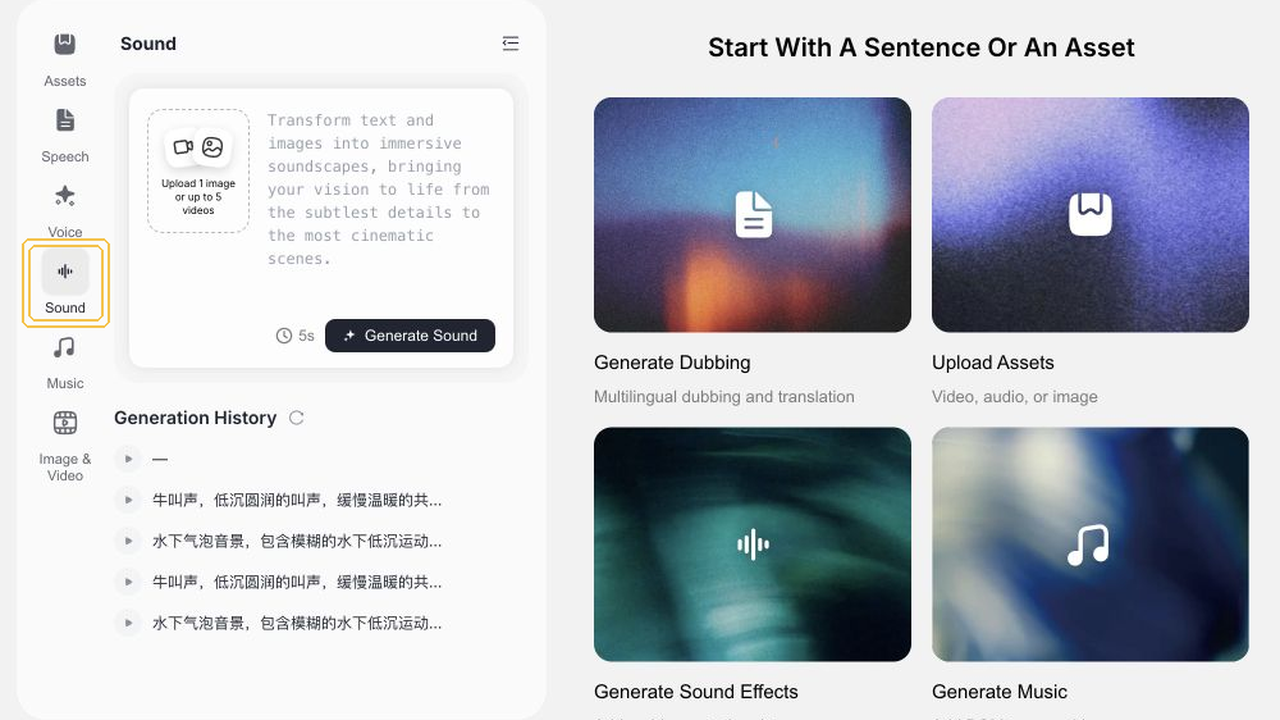
Select Sound on the left navigation bar inside your active Studio project canvas. The view presents a prompt composition box, duration selectors, and the Generate Sound button.
When designing physical Foley or ambient soundscapes, confirm you are in Sound rather than Speech or Music. The primary call-to-action specifically reads Generate Sound.
Draft an Acoustic Prompt and Configure Duration
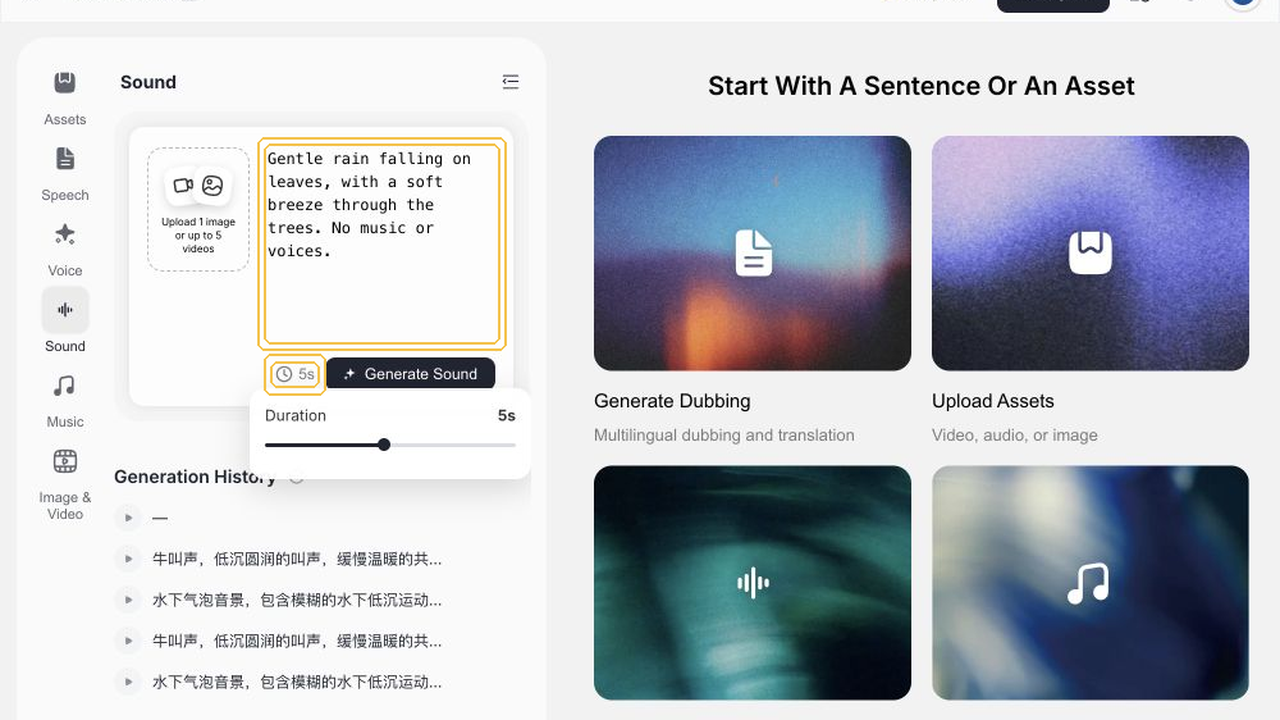
Draft a descriptive prompt defining acoustic sources, environment, textures, and elements to exclude. This verified session employed the following prompt:
“Gentle rain falling on leaves, with a soft breeze through the trees. No music or voices.”
Select the 5s duration chip to establish a 5-second acoustic window before collapsing the timing panel.
Specific sonic imagery outperforms generic adjectives. Specifying rain as the primary subject and wind as the backdrop helps the synthesis model establish distinct auditory planes. Explicitly excluding melodic or vocal artifacts maximizes ambient clarity.
Synthesize Candidates and Inspect Generated Results
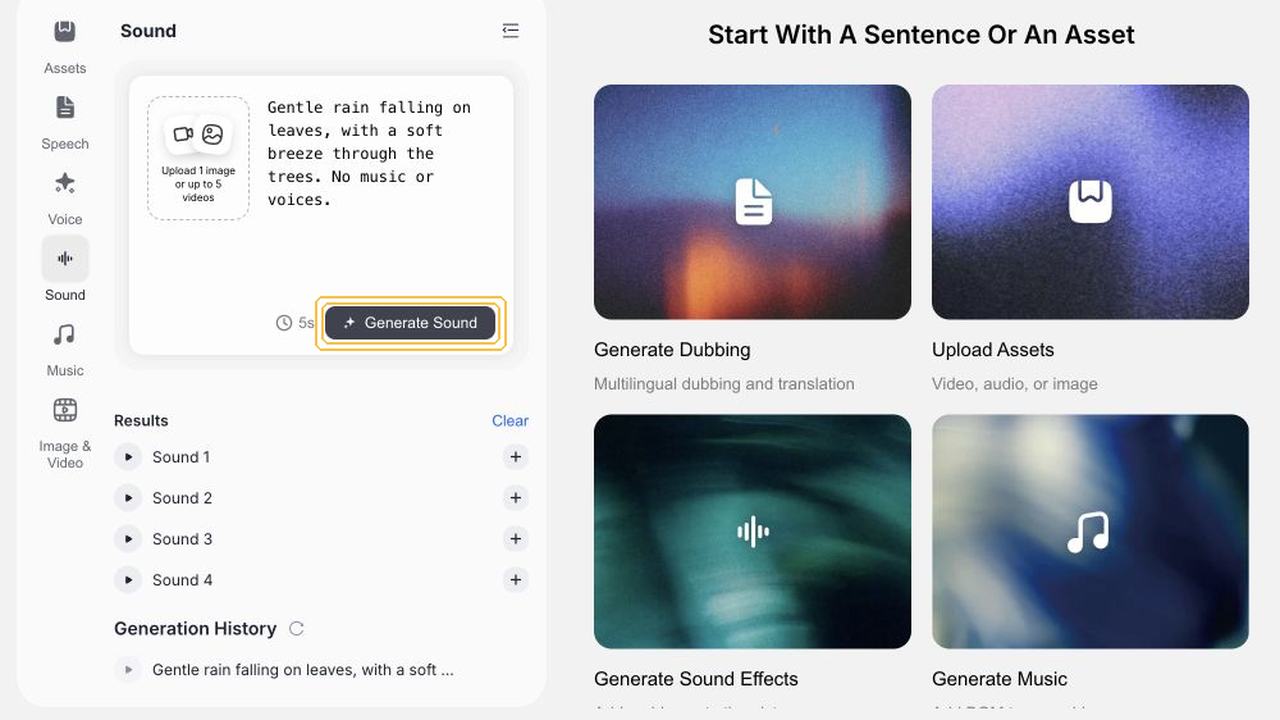
Click Generate Sound. Upon completion, the Results compartment displays Sound 1 through Sound 4, each equipped with dedicated playback and timeline placement controls.
Audition the candidates systematically rather than repeatedly submitting identical queries. Generating four distinct variations provides subtle textural differences for precise cut matching.
Audition Complete Soundscapes From Attack to Decay
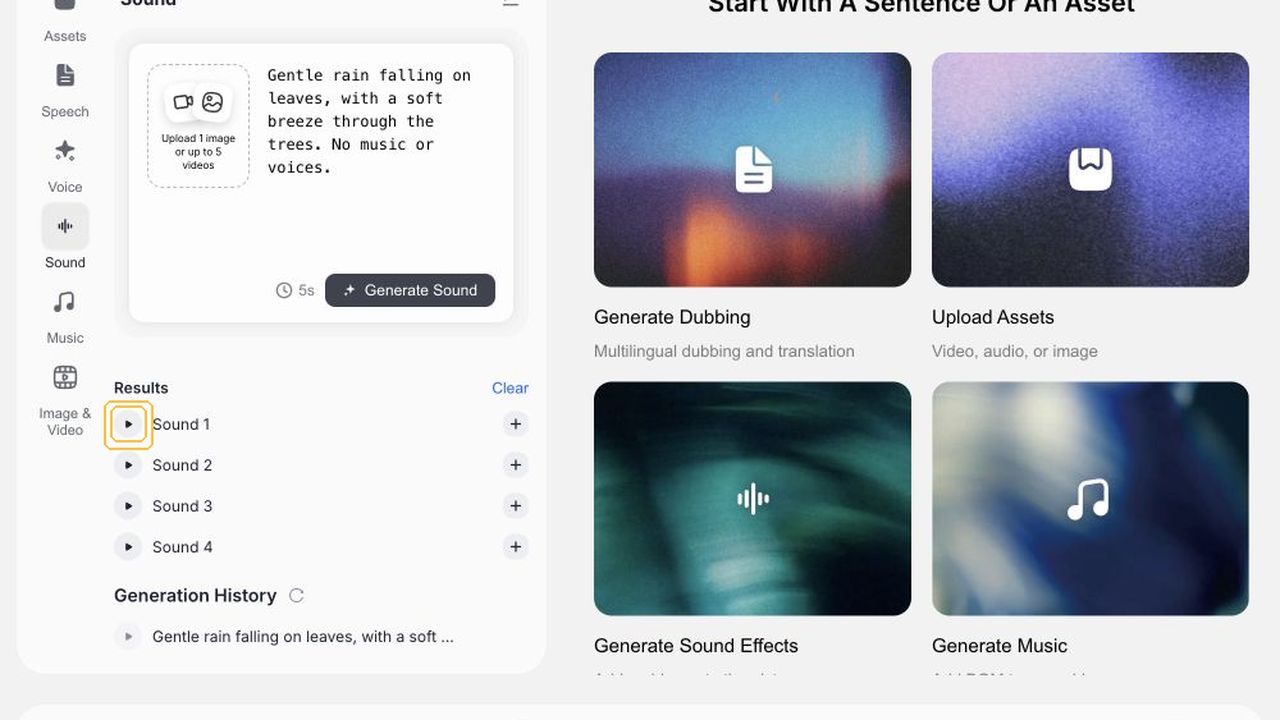
Click the playhead beside candidate cards to evaluate each soundscape completely. This session utilizes Sound 1 for timeline insertion. In commercial work, compare all outputs to select the ideal acoustic presence.
Pay careful attention to the initial attack and natural tail decay. Verify droplet crispness and wind smoothness with reference headphones.
Insert Selected Audio Clip Onto the Timeline
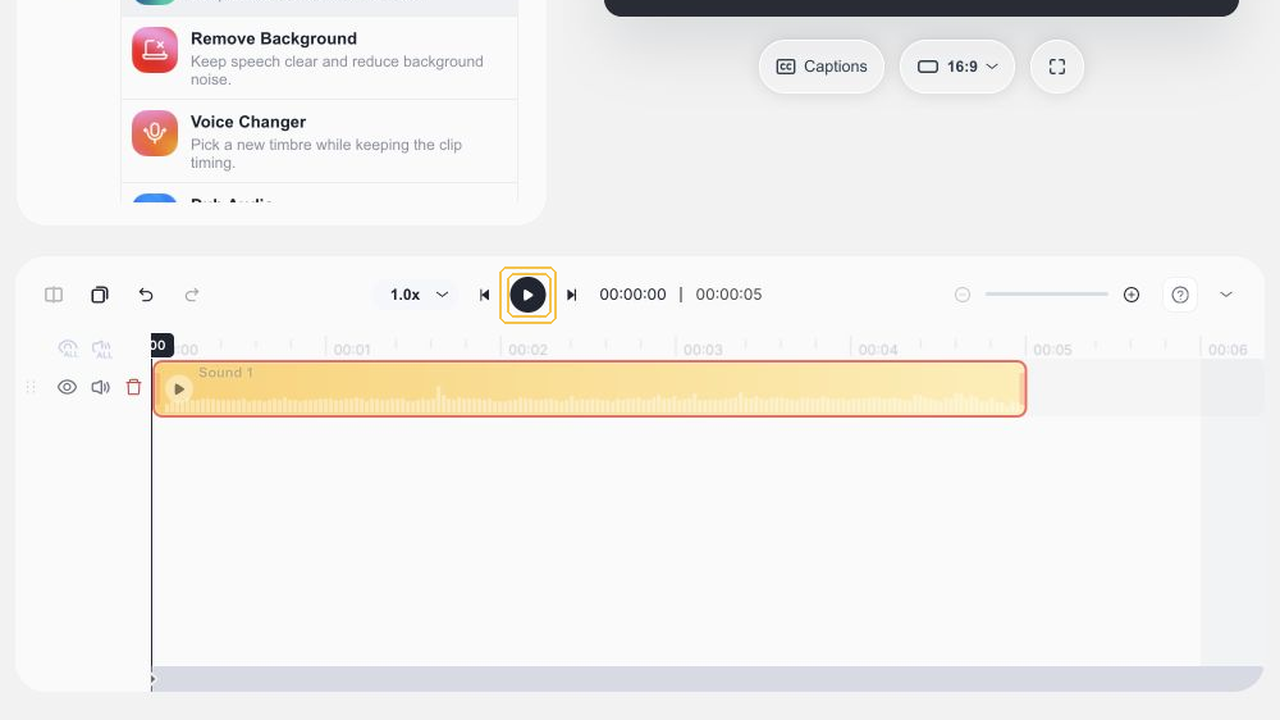
Click + (Add to timeline) on the selected Sound 1 card to populate an audio track on the project timeline.
The clip appears with visual waveform data. Drag the audio block along the temporal ruler to synchronize droplet impact with visual foliage motion.
Export Master WAV Audio and Verify File Integrity
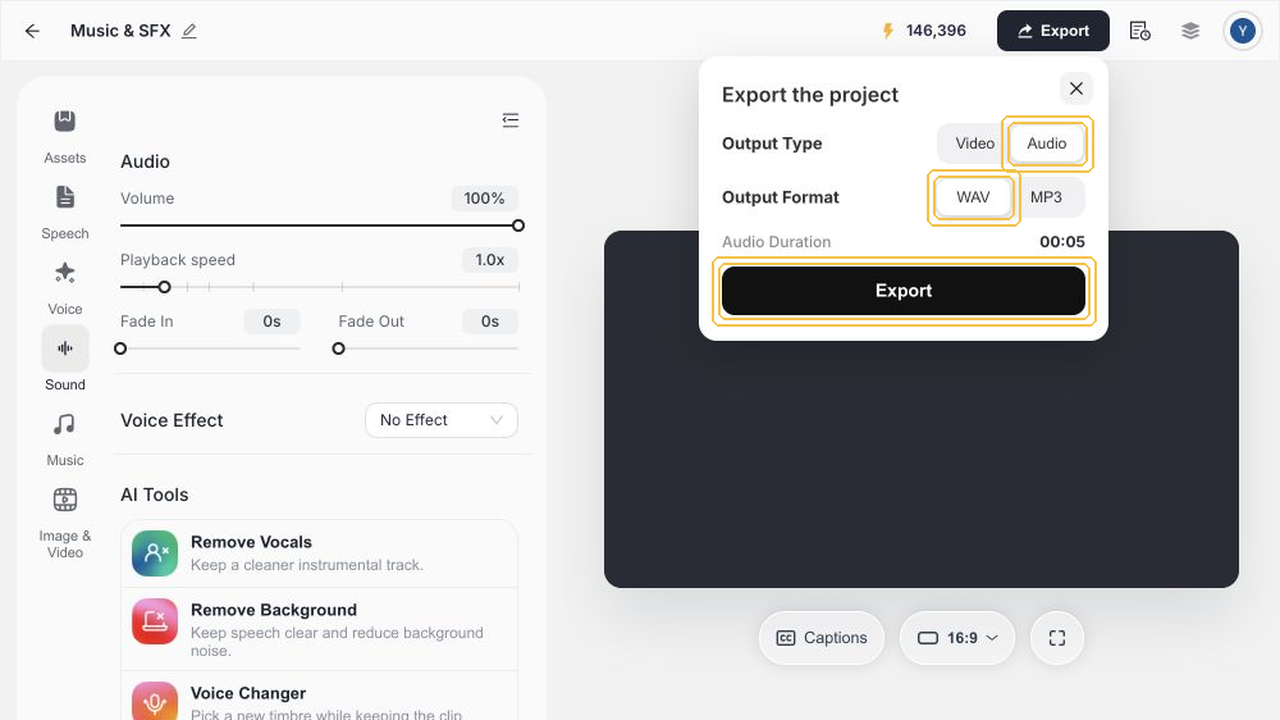
Click Export, select Audio mode in WAV format, and click Export to render out your audio file.
The exported file is a 44100Hz dual-channel uncompressed WAV with clean zero-error decoding, ready for import into professional editing software.
Evaluation Standards Across Four Sound Design Workflows
AI Video Foley: Visual Rhythm and Environmental Depth
Synthetic footage lacks native microphone capture. Adding room tone and targeted Foley restores natural physical presence and scale.
Animation & Motion Comics: Kinetic Impact and Accents
Stylized movement requires punchy sonic accents. Synchronize transient spikes precisely to contact frames to deliver satisfying kinetic weight.
Vlog Production: Balancing Score Against Spoken Dialogue
In personal vlogs, music must never overpower speech. Apply ducking during vocal passages and restore volume during montage transitions.
Commercial Sound Design: Sonic Branding and Identity
Advertising sound design must be memorable within seconds. Anchor distinct audio cues to logo reveals and product interaction hero shots.
Capability Boundaries and Verification Scope
This reference strictly reflects verified session outcomes and empirical deliverables:
Capability Item | Verification Status | Observed Boundaries |
|---|---|---|
Studio Sound Workspace | Verified Native Feature | Prompt-driven SFX synthesis flow |
Prompt & Duration Controls | Verified Native Feature | 5s window with negative text tags |
Four Candidate Generation | Verified Native Feature | Single Generate yielded 4 options |
Audition & Timeline Insertion | Verified Native Feature | Auditioned Sound 1 and placed on track |
WAV Master Audio Export | Verified Native Feature | 44100Hz stereo uncompressed WAV file |
Billing & Credit Depletion | Dynamic Product Status | No fixed rate or zero cost promises |
Full Score Music Synthesis | Unverified in this Flow | Walkthrough focused on Sound Foley |
Begin With Defined Acoustic Requirements
Establish your acoustic goals, craft a descriptive sound prompt, audit candidate variations, align the chosen cut on the timeline, and export pristine WAV master audio.
Open Noiz Studio to explore AI sound design for your next visual production.