Most product-video tutorials start with the prompt. That is the wrong end of the problem. When a ten-second clip fails, it rarely fails because the sentence was badly written — it fails because the shot was badly chosen. A camera with nowhere to move, a product that enters frame and then just sits there, a background that fights the label: those are decisions made before anyone types a word.
This article works the other way around. Pick the shot, prepare the frame it starts from, then write motion into it. Seedance 2.5 Flash suits that order: a 4–30 second range, 480p and 720p output, text-to-video plus first/last-frame control, image, video and audio references in one request (up to 20 assets), native audio, and editing or extending an existing clip. Cheaper seconds mean you can generate several candidates of the same shot and keep the one that works, instead of betting the budget on a single render.
1. The shot decides everything else
Before you touch a prompt, decide what the camera is doing. Six framings cover most ecommerce pages:
- a product turning on a turntable — form, silhouette, cap detail
- a hand bringing the product into frame — scale, context, human presence
- a texture macro — what the product looks like up close
- a poster-style hero frame — scroll-stopping contrast for paid social
- a lifestyle scene — where the product lives
- a UGC talking-head frame — a person addressing the camera with the product
That is not a menu of styles; it is a list of camera setups. Turntable means the subject rotates and the camera stays. Unboxing means the hand or camera moves and the subject enters. Texture means the lens is at minimum focus and almost nothing moves. Poster means a locked frame with one dramatic element. Lifestyle means the camera drifts. UGC means a handheld frame with a person in it.
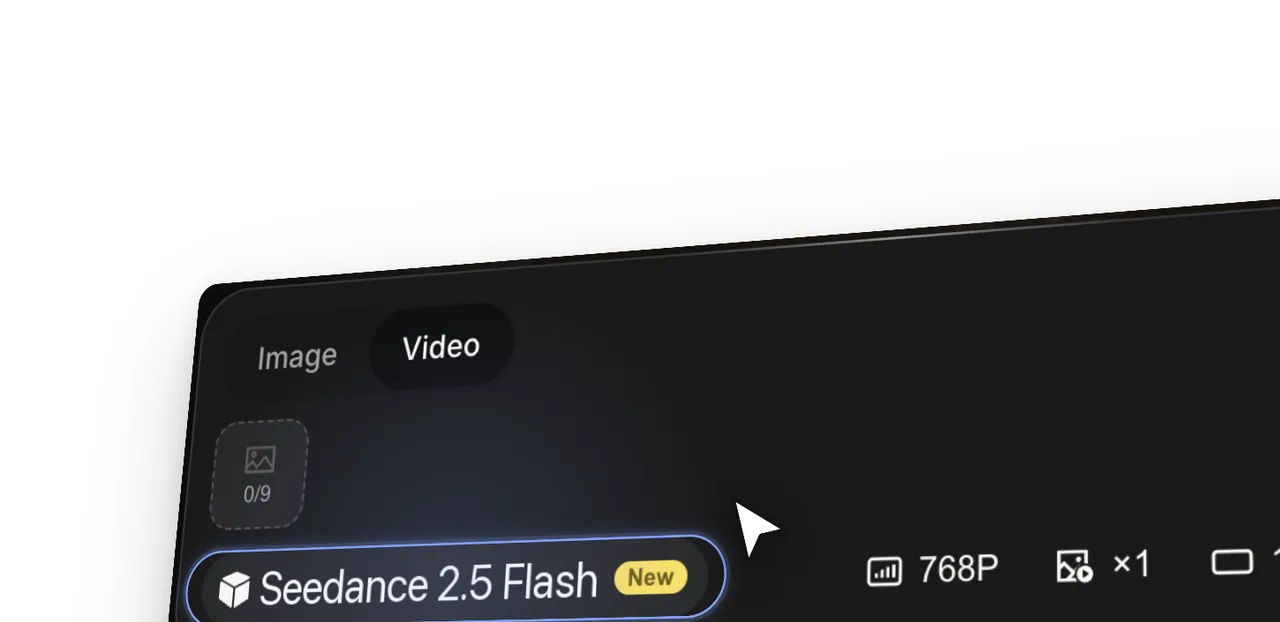
The panel above is where the workflow lands. It is the real Studio control row: an Image/Video toggle, a reference slot taking up to nine files at 20 MB each, a model picker, a reference mode toggle, resolution, candidate count, aspect ratio, duration, a credit counter and the generate button. Today the picker lists MiniMax H3 and Seedance 2.0; Seedance 2.5 Flash is not selectable there yet, and the label in this image is a mockup rather than a shipped feature. The parts that already work — presets, first frames, references, candidate counts — work today.
2. The three-step loop
Pick the preset. A preset is a named camera setup with a fixed starting frame, not a style filter. Studio's image side already works this way: framing, angle, lens, background, composition and texture are separate axes you lock one at a time. Choosing "texture macro" is a statement that the lens is at minimum focus and the camera will not move.
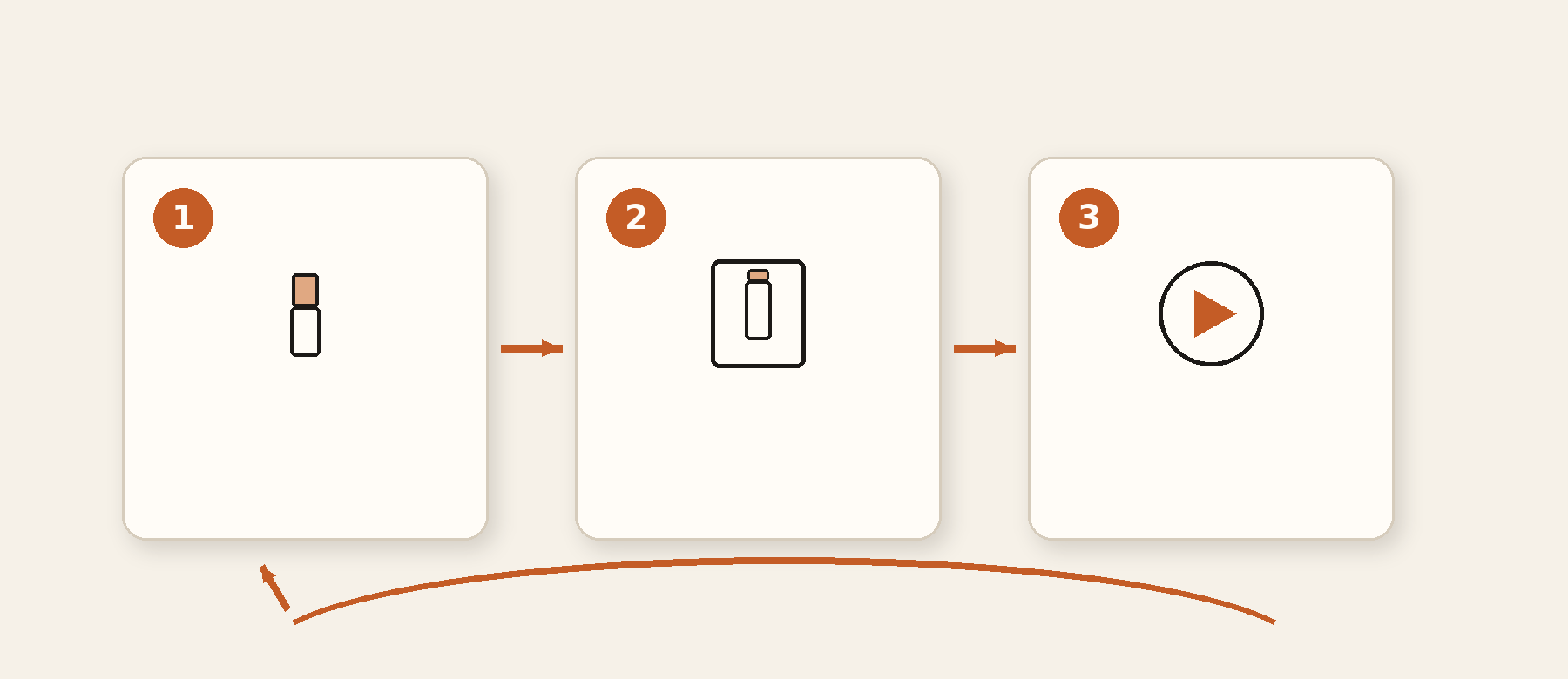
The working loop: choose the preset object, lock the first frame, generate, then return. This is a schematic, not a screenshot of Studio.
Build the first frame. For product work the first frame carries more information than the prompt: it fixes proportions, label legibility, light direction and crop. Generate or shoot a still at 9:16, check it at thumbnail size, then move on.
Animate. Attach the frame, write the motion, choose duration and resolution, decide how many candidates you want. If the clip is wrong, the fix is almost always in step one or two.
The order matters because each step is cheaper than the next: a still costs a fraction of a video second, and a video second costs more than a re-prompt.
Open the Noiz Studio video panel and generate your first take → Attach the first frame, pick the preset, set the candidate count, and generate. The picker offers MiniMax H3 and Seedance 2.0 today; when 2.5 Flash arrives, this loop does not change.
3. A preset is an object, not a video
The most useful change you can make to this workflow is to stop treating presets as videos and start treating them as data — something you can diff, version and reuse:
{
  "name": "skincare-turntable",
  "shot": "turntable, mid-rotation",
  "size": "1024x1792",
  "seconds": "5",
  "resolution": "720p",
  "candidates": 4,
  "first_frame": "s1-turntable.jpg",
  "motion": "slow constant rotation, no camera move, soft top light"
}
Follow the field formats in the documentation of the service you actually use; do not assume a name, type or unit from an example like the one above. The shape matters more than the syntax: once a preset is data, six shots become six rows and a failed shot is a one-field edit.
4. The first frame is the contract
A video model cannot invent your packaging. If the first frame has a garbled label, an impossible cap or a strange perspective, the motion inherits all of it and adds drift. Three checks catch most of it before you spend a video second.
Resolution and crop. Work at 9:16 for short-form placement and check the product's share of frame. A tube filling 60% of the height reads as a hero shot; the same tube at 30% reads as a stock photo with air around it.
Label integrity. If the product carries a real label, the first frame is where it must be legible, because motion blur will eat it later. If you are working with an unbranded mockup, say so — a model asked to render "a label" will invent one, and invented type is the fastest way to make a clip unusable.
Light direction. Pick one key light and keep it across the set. A turntable lit from the left and a lifestyle shot lit from the right look like two different products.
The stills here were prepared to illustrate shot types, not pulled from finished renders. A still that looks right is necessary, not evidence the clip exists.
5. Six shots, six briefs
Each item below is a shot type plus a prompt skeleton describing camera behaviour, subject behaviour and light — no aesthetic adjectives that models interpret inconsistently.
Turntable
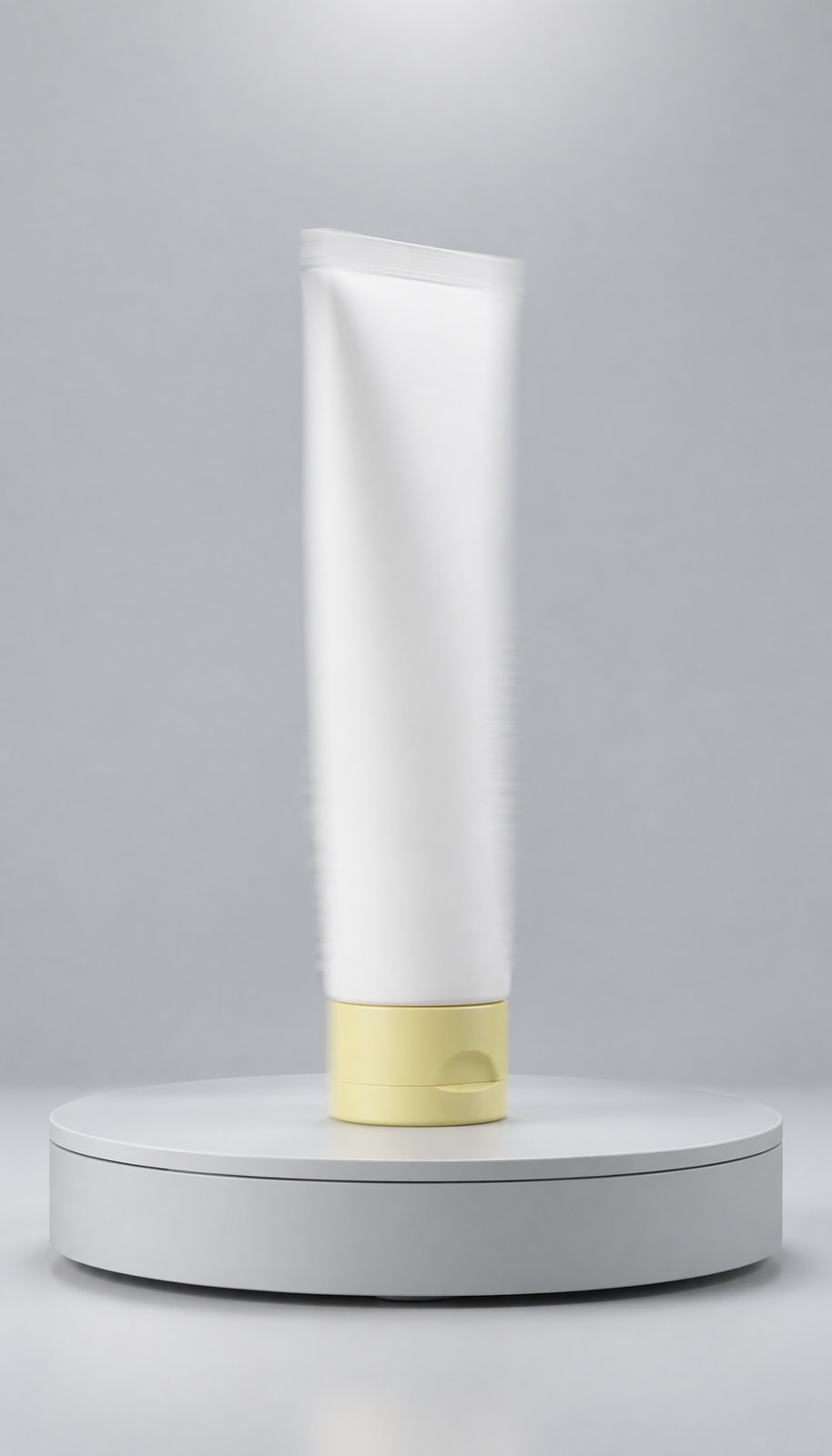
Use it when the product has a distinctive silhouette or a cap worth showing.
Prompt: "A matte white cosmetic tube with a pale-yellow cap on a turntable, rotating slowly at constant speed, camera locked off, seamless pale grey background, soft top light, no cuts."
Check: constant rotation is the hard part. Models ease in and out or change speed mid-clip, which reads as a mistake. Generate three or four candidates and keep the one whose speed is flat.
Unboxing
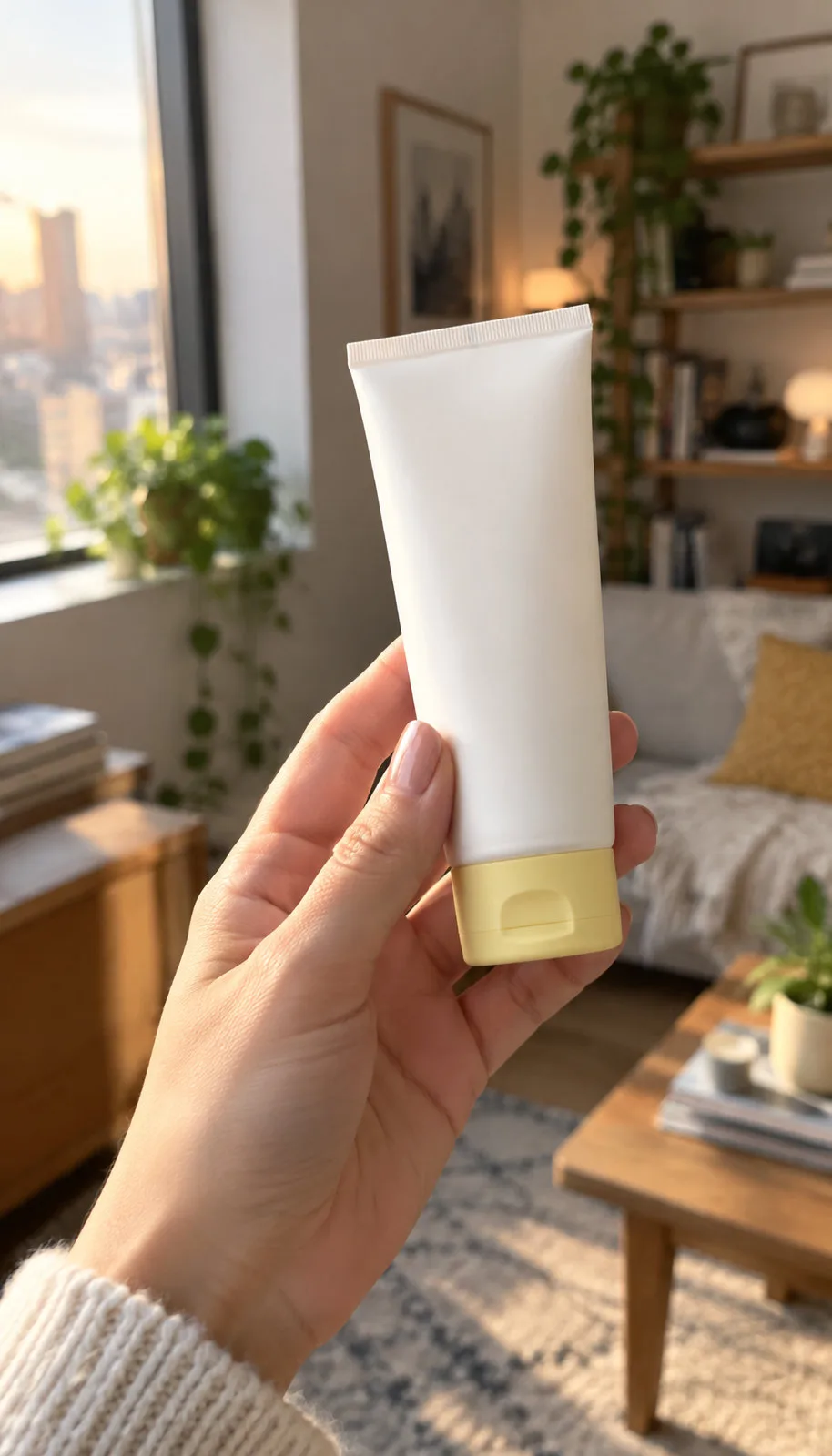
Use it when the product needs context and a human scale reference.
Prompt: "A hand lifts the tube into frame from the lower left, camera handheld, slight drift, warm window light, apartment background falling out of focus, no cut."
Check: hands. This shot is the most likely to produce extra fingers, a product fused into a palm, or a grip that changes between frames. Inspect at full size.
Texture macro
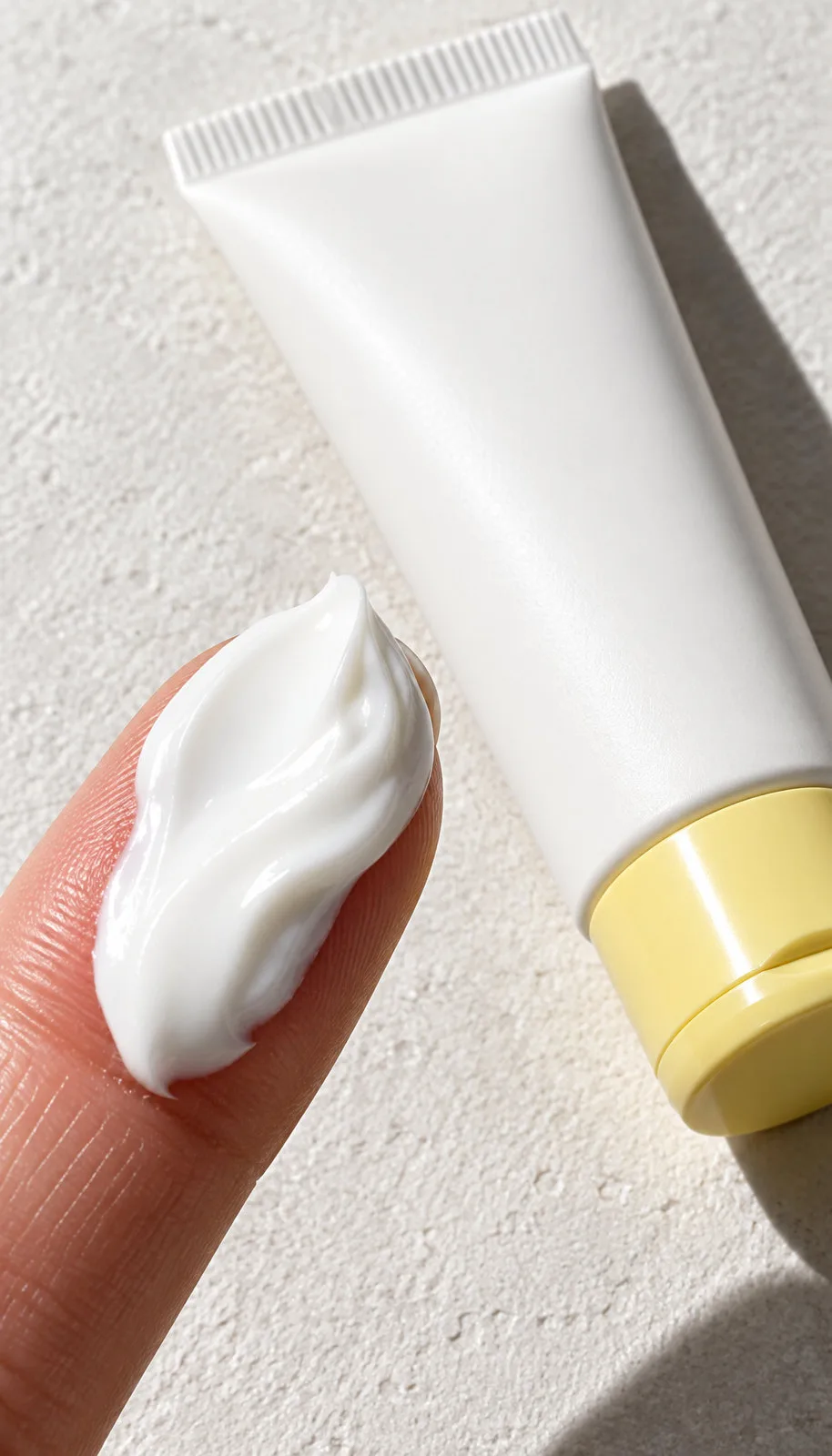
Use it when the product's value is how it feels — creams, gels, powders, finishes.
Prompt: "Extreme macro, a thick ribbon of white cream pressed onto a fingertip, glossy highlight, the tube lying beside it, hard side light, shallow focus, almost no camera movement."
Check: texture shots fail by over-animating. If the cream flows or reshapes like liquid, the shot stops reading as real. Ask for stillness and let the light work.
Dynamic poster

Use it when the frame has to stop a scroll in under a second — paid social, email headers.
Prompt: "The tube standing on wet black stone, water droplets suspended mid-air around it, hard rim light, dark background, locked frame with one burst of motion at the start."
Check: contrast and subject size. Poster shots survive aggressive cropping and text overlays; busy frames do not. Look at it at 25% scale — if the product is no longer identifiable, the shot is too wide.
Lifestyle

Use it when the product's positioning is contextual — bathroom, kitchen, desk, gym bag.
Prompt: "The tube on a bathroom shelf among a plant and folded towels, morning sunlight through a window, dust motes in the light, slow camera drift to the right, no cut."
Check: the environment must not invent a second product. Shelves attract extra bottles, and a frame with five unrelated containers dilutes what you are selling.
UGC talking-head
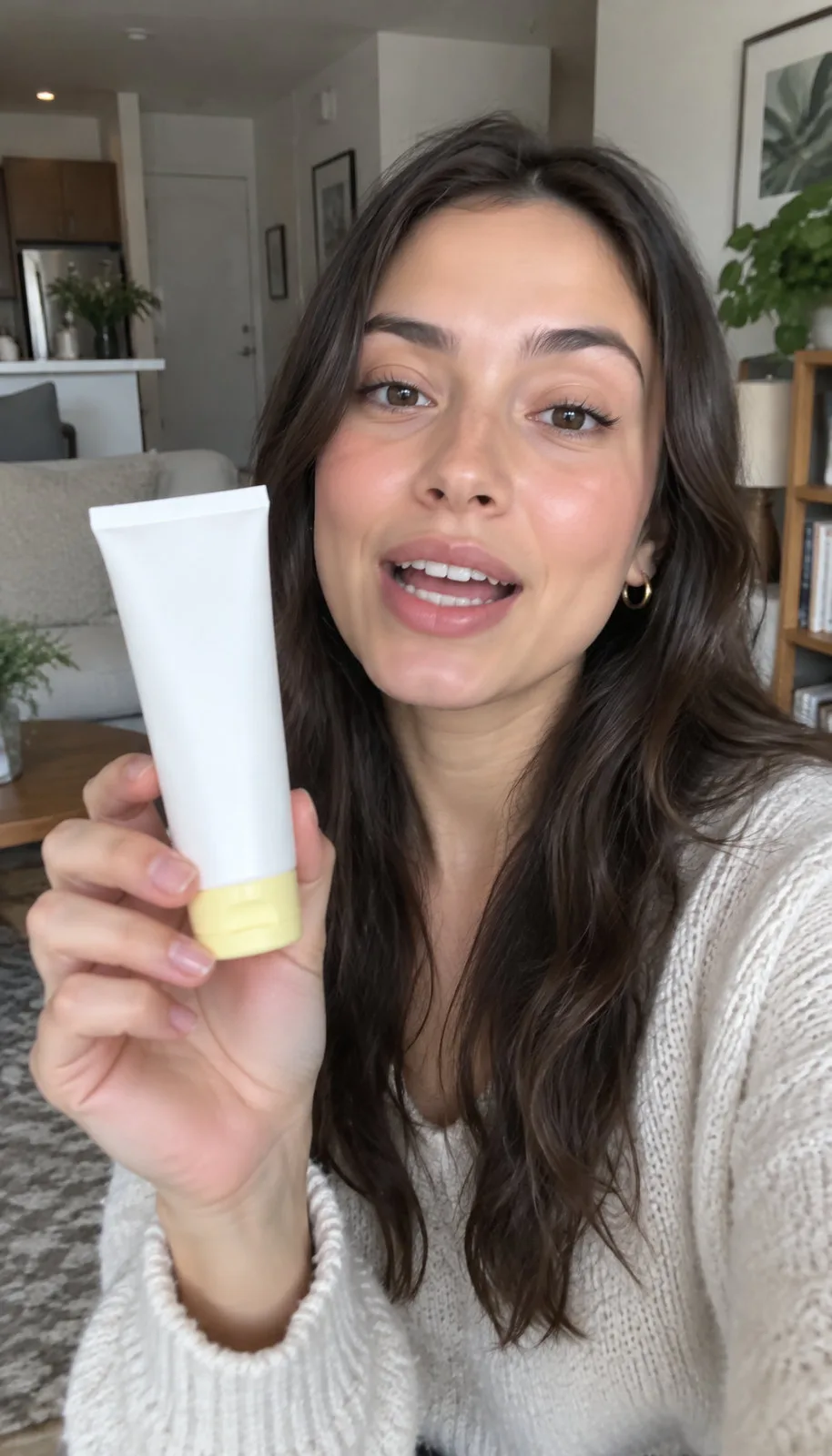
Use it when the claim needs a person — testimonials, routines, "I tried this for a week".
Prompt: "A young woman holds the tube up to the camera and speaks mid-sentence, handheld selfie framing, natural apartment background, soft window light, slight camera shake."
Check: lip sync and hands. If the clip has speech, decide up front whether audio is generated with the video or added afterwards — a mouth on its own schedule is the fastest way to look synthetic.
6. Prompting motion
Name the camera, not the mood. "Slow dolly in" and "camera locked off" are instructions; "cinematic" and "premium" are not. If the shot has no camera move, say so — models default to drifting.
One motion per clip. A rotating product, a moving camera and a hand entering frame are three instructions competing for the same two seconds. Pick the dominant one.
Duration is a budget, not a setting. Four seconds covers a rotation or a reveal. Ten seconds needs a second beat, or the model fills it with drift. Thirty seconds needs two or three distinct beats, each with its own framing.
7. Limits, and what we did not measure
This is where most articles quietly invent numbers, so here is what is known and what is not.
Seedance 2.5 Flash is not selectable in Noiz Studio yet. At the time of writing, Studio's video picker lists MiniMax H3 and Seedance 2.0, and the image side runs GPT Image 2.5. The 2.5 Flash specifications above — 4–30 seconds, 480p and 720p, up to 20 reference assets, native audio, editing and extension — come from launch material, not from a spec sheet we generated.
We have not measured 2.5 Flash latency or price. Any per-second figure you see for it is a vendor or reseller number, not a benchmark. If a run is slow or fails, check the task status and the error message before changing the prompt or retrying. Slowness is not necessarily a queue problem.
Three habits worth checking on any integration, regardless of model version:
- Follow the field formats in the documentation of the service you selected; do not infer types or units from an example preset.
- If a request is rejected or a run looks wrong, read the task status and the error message before you retry or rewrite the prompt.
- Retry in a small batch after you understand the error. Do not assume a slow run is a queue problem, and do not widen the batch until you know why the first attempts failed.
One more limit, plainly: these six stills were prepared separately with the same product description repeated in every prompt, so the product is consistent in concept, not identical at the pixel level. If your workflow needs six frames of the same object, that is an image-edit job and belongs in the brief from the start.
8. FAQ
Do I need a video model to prepare the first frame? No, but consistency is easier if you do. A photographed still works too and is usually sharper.
Can one preset serve several products? Yes — that is the point of treating presets as data. The camera setup transfers; the product clause changes. Re-check the first frame each time.
How many candidates per shot? Enough to see variation in what matters — rotation speed, hand placement, drift. Three or four is usually enough.
What resolution should I work at? 720p for review and most short-form placements; 480p when screening ideas and volume matters more than detail.
Why does the label look wrong in motion but fine in the still? Motion blur and compression both eat small type, and the model re-synthesises the label every frame rather than tracking it.
Can I extend a good clip instead of regenerating it? Seedance 2.5 Flash supports editing and extension, which is cheaper when the first four seconds are right. Plan the beats first so the extension continues something.
Related reading on this blog: Noiz product and voice notes.