comics · pixel · collage · clay · 3D · live action
9:16 · 16:9 · 1:1 · 20s · 30s · 60s
AI Ad Video Generator from one product photo
scroll open the studio ·esc put them backswipe up open the studio
Musical Ads
StudioExamples replay free
Musical Ads
Turn any product or idea into a singing ad.
Visual style
Music style
Import
Import product from link
Paste a product page. Up to 3 links.
Log in
Log in to continue
Your product and style choices stay as you left them.
Opening Noiz Studio…
Your draft is saved. Studio picks it up from here.
An AI ad video generator that starts from your product
An AI ad video generator turns a product and a short brief into a finished video ad. Most tools fill a template with stock clips and a stock track; Noiz Musical Ads plans every scene around your product and scores it with a song written for it.
A finished ad, not a pile of clips
One photo, a store link or one line of text is enough. You get an edited 20–60 second ad with scenes, subtitles and music, ready to upload.
Cut for the platform
Pick 9:16, 1:1 or 16:9 and a length of 20, 30 or 60 seconds, so the same product gets a TikTok ad, a feed ad and a store video.
Check the plan before you pay
In about 2–3 minutes you get an editable brief: the scenes, the script and the music direction. Change it first; rendering is billed per second delivered.
Productphoto, link or one line
Ad planhook, scenes, script
Supports bone health—NOW D-three!Supports immune health—NOW D-three!
Soundtrackan original song
Video ad9:16, 1:1 or 16:9
Why creators trust Noiz
2M+creators make voice, music and video with Noiz AI
#1Product of the Day on Product Hunt
YuE2the open-source song model Noiz co-developed
AI video ad examples by industry
Six video ads generated in Noiz Studio. Each started as one product and a one-line brief; the notes show what each ad does in its first seconds and where it fits.
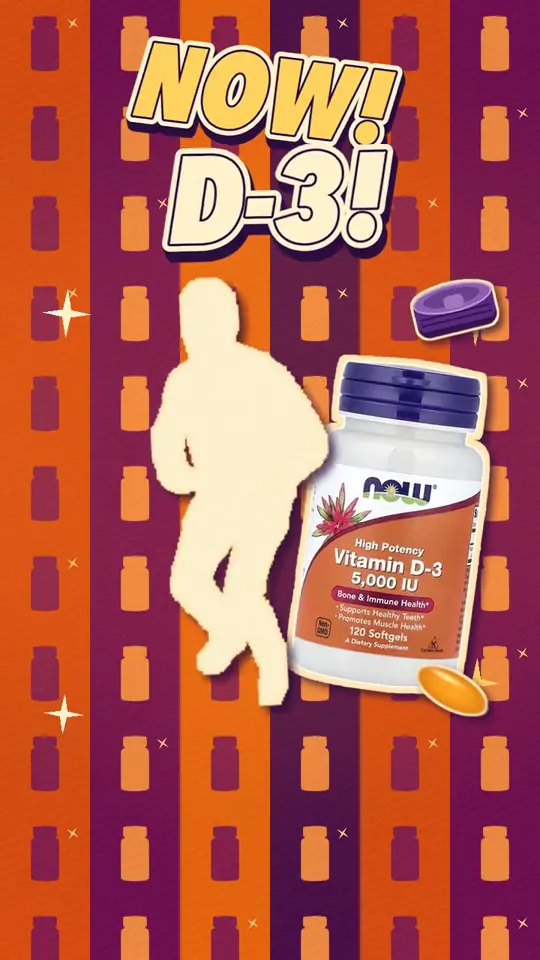
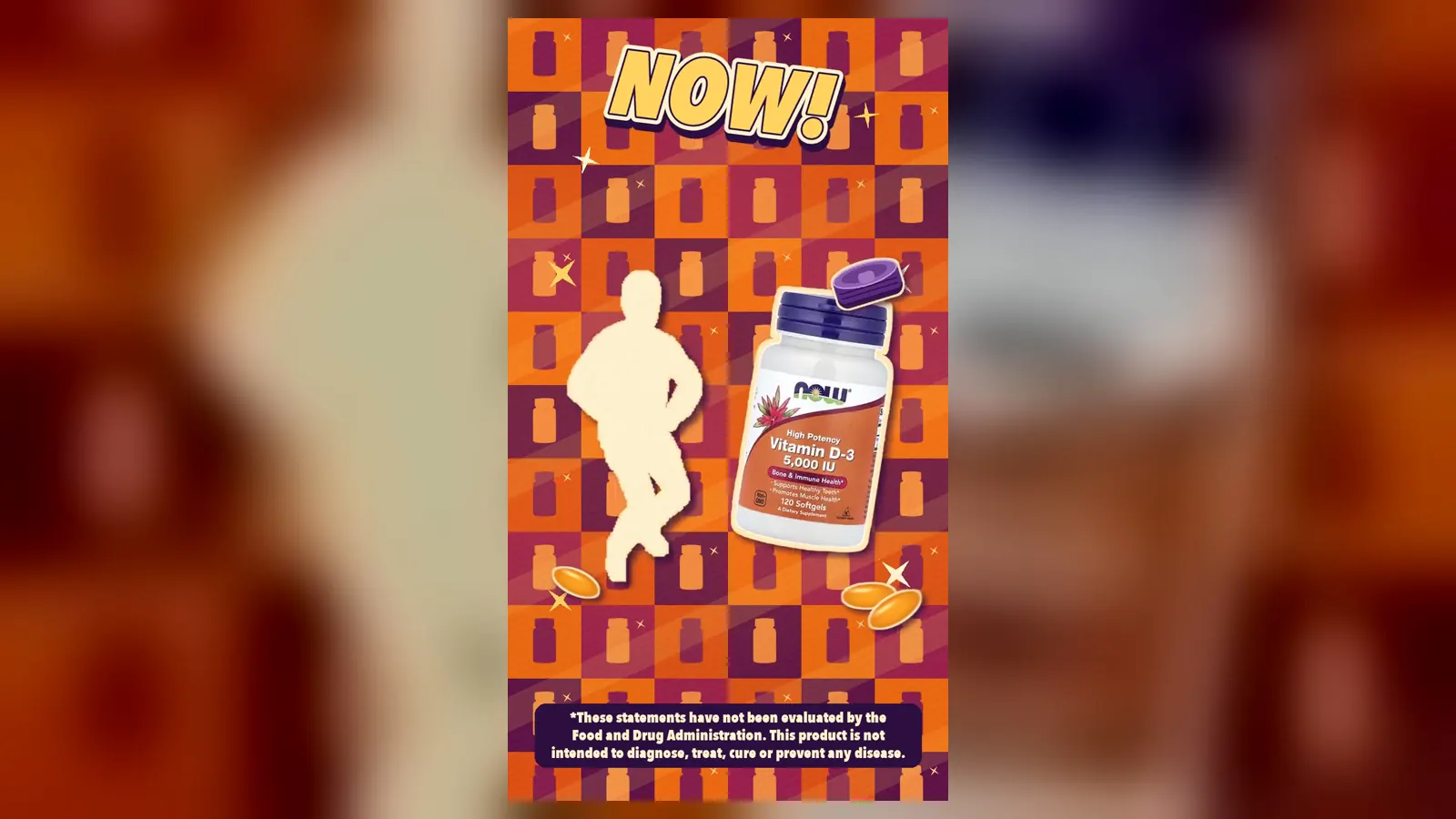
Health supplements · Absurd Humor · Collage · Pop · 20s
Opens on the brand name and keeps it on screen in big type: built for a 20-second vertical ad on Reels or TikTok.
The brief
“Make a catchy English jingle for NOW D-3. Repeat the brand hook and sync dancing paper cutouts and big type to the beat.”
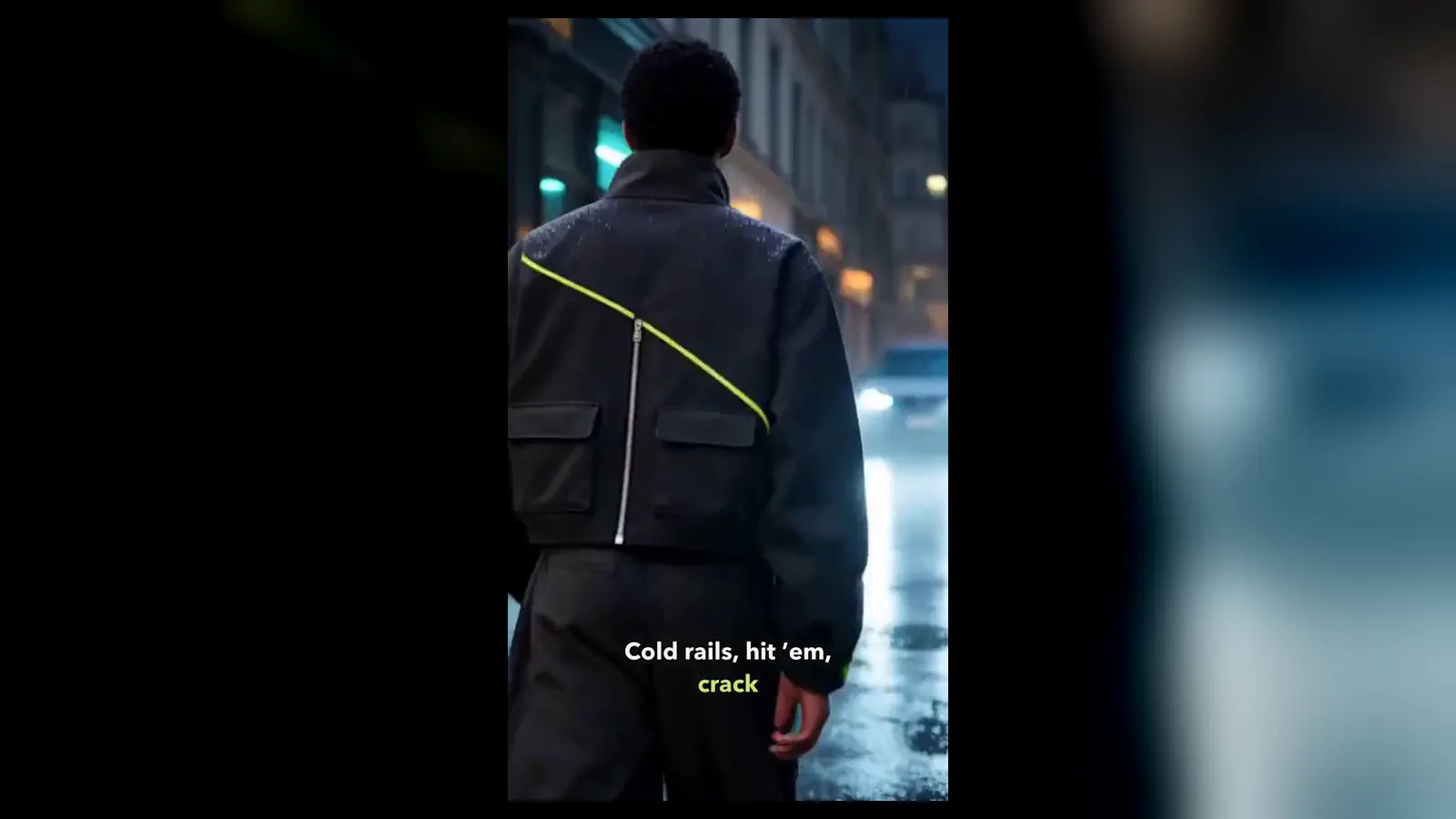
CURB SIGNAL
Streetwear · Beat Cuts · Live Action · Rap · 20s
The first frame is a rooftop splash and every cut lands on the bass, so the jacket reads even when people scroll fast.
The brief
“Make a vertical English rap ad for a black CURB SIGNAL jacket. Open with a rooftop splash and cut to the bass.”
Pineapple
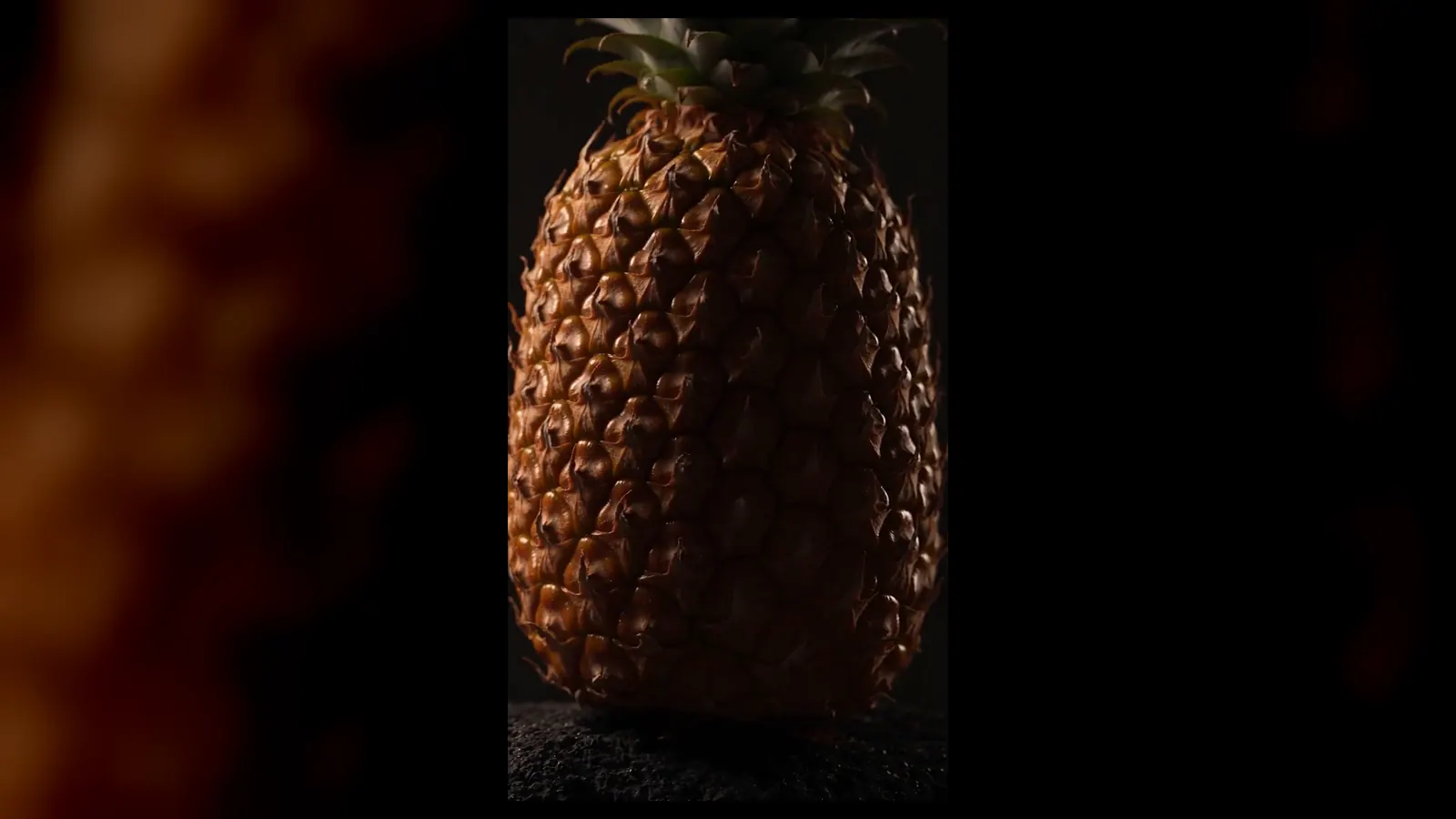
Fresh produce · Selling Points · Live Action · Opera · 20s
One close-up per selling point, then the whole fruit: a square ad that works in a feed or on a product page.
The brief
“Make an English pineapple jingle. Spotlight close-ups of the skin and crown, then reveal the whole fruit again.”
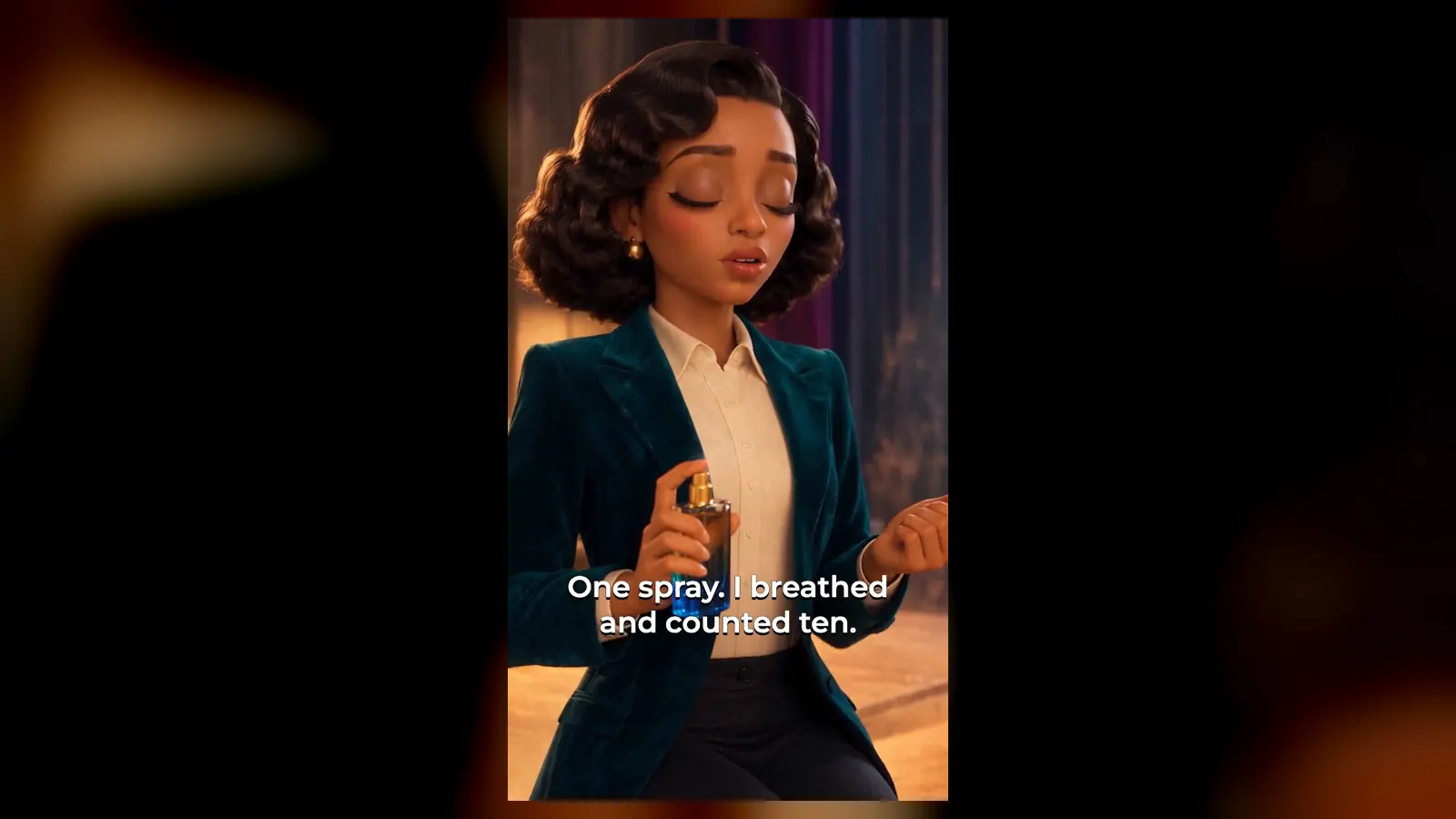
ENCORE perfume
Beauty & fragrance · Story · 3D Cartoon · Pop · 60s
A 60-second animated story with a setback and a payoff, for YouTube or a brand page where people stay longer.
The brief
“Make an American-style animated short for ENCORE perfume. She freezes at an audition, sprays it backstage, practices, then takes the stage again.”
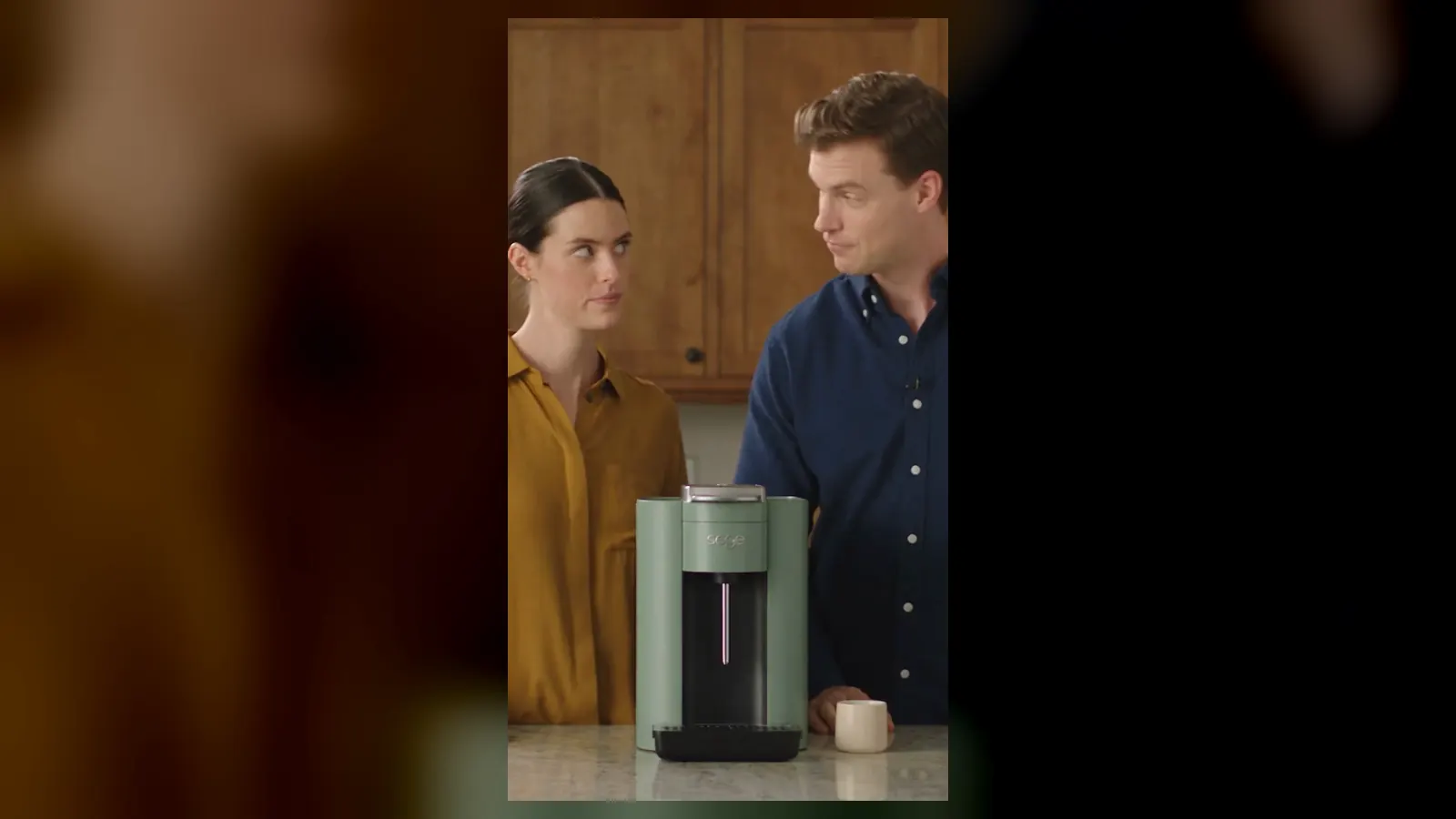
Coffee maker
Kitchen appliances · Q&A · Live Action · Pop · 30s
The product is shown in use while two voices trade questions and answers: an explainer for store pages and email.
The brief
“Make an English duet for a single-serve coffee maker. She asks and he answers three times. Show cup placement and the button, with smooth vocal handoffs.”
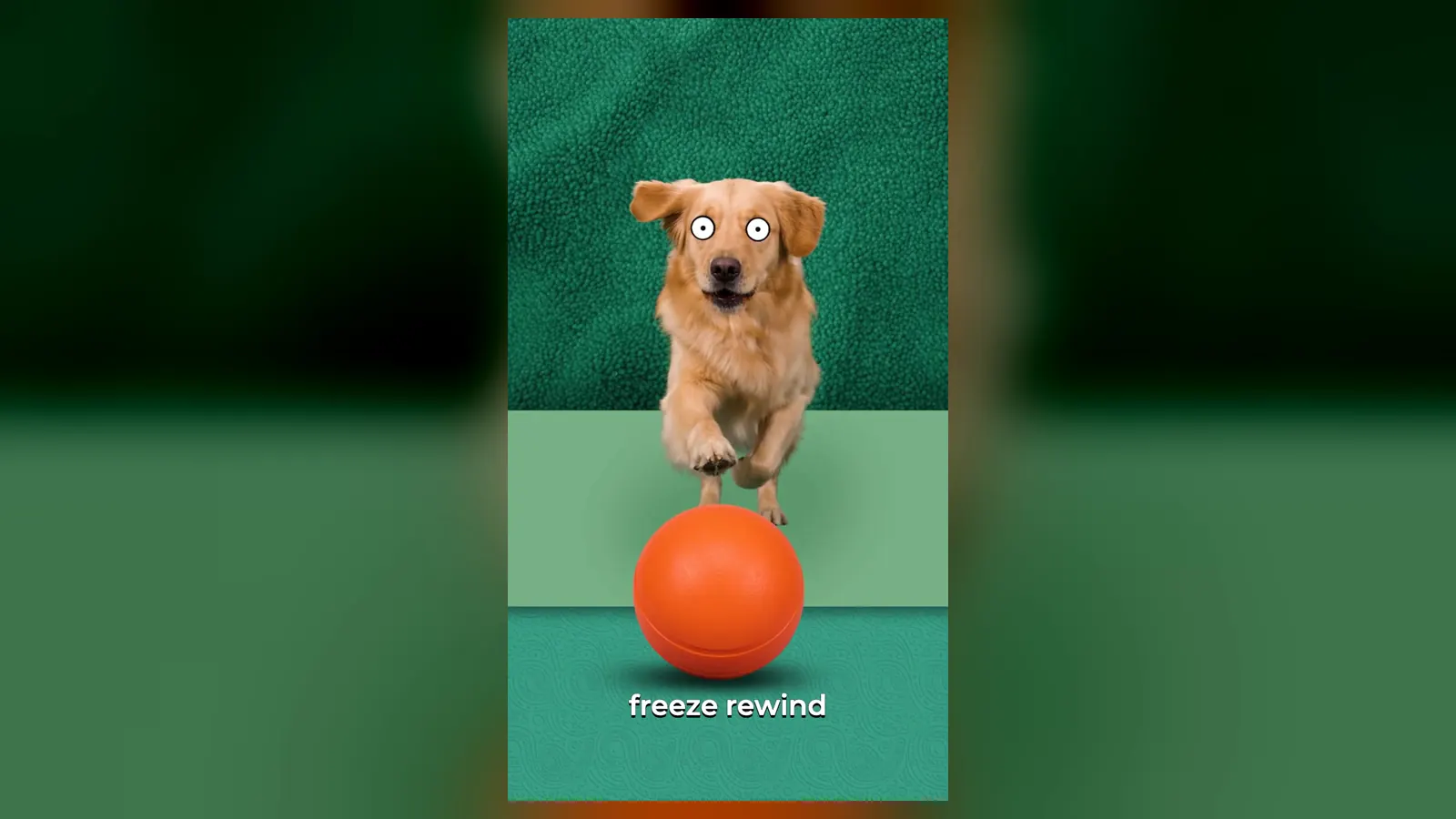
Dog ball
Pet products · Absurd Humor · Live Action · Pop · 30s
A new gag on every hook keeps people watching to the end: a 30-second ad made to be shared.
The brief
“Make a catchy English song for an orange dog ball. A golden retriever taps the ball for the hook, followed by a different gag each time.”
AI ad video generator vs. template video ad makers
Template editors are great when you already have footage and want full control of the edit. Musical Ads is for when you only have the product and need a finished ad. One thing to know: every new Musical Ads ad is built around an original song, so it is not the tool for a voiceover-only ad.
Noiz Musical Ads
You start with
A product photo, a store link or one line
Scenes
Generated for your product
Music
An original song with AI vocals in every ad
Your work
Approve the brief, then fine-tune in Studio
Best for
Fast product ads and many versions to test
Template video ad makers
You start with
A template plus your own clips or stock footage
Scenes
Stock or uploaded clips you arrange
Music
A stock track or one you upload
Your work
Edit each scene, text box and transition
Best for
Ads built from footage you already shot
How to make a video ad with AI in 4 steps
01
Upload the product
Add up to 8 product photos (JPEG, PNG or WebP, 50 MB in total) or up to 3 store links. No photos yet? One line describing the product is enough.
02
Choose where it runs
Pick 9:16 for TikTok, Reels and Shorts, 1:1 for feeds or 16:9 for YouTube and stores, then a length of 20, 30 or 60 seconds, an ad format and a visual style.
03
Approve the ad plan
Noiz drafts the scenes, the script and the music direction in about 2–3 minutes. Move the product shot earlier or change the offer before anything renders.
04
Render and export
Noiz generates the scenes and the soundtrack and edits the ad. It opens in Noiz Studio, where you can trim footage, change subtitles and export.
Is this AI ad video generator free?
Yes, to try: watching the six example ads costs nothing, and each Noiz account gets free credits that refresh every day. Your own video ads use those credits:
Before you generate, the form shows the expected credit range for your settings.
Pay for the seconds you get
Rendering is charged per second of finished ad, so a 20-second ad uses fewer credits than a 60-second one.
Failed renders cost nothing
If a generation fails, it is not charged.
Credits work across Studio
The same credits cover AI images, video and voice in Noiz Studio. See plans and credits.
What makes a video ad stop the scroll
You don't need a storyboard. The AI plans each ad around what works in short video ads, and one line in your brief steers it:
01
Show the product in the first two seconds
The ad opens on the product or the brand name, not on a logo animation. In the NOW D-3 example the brand is on screen from the first frame.
02
One message per ad
A 20-second ad has room for one benefit. Name it in the brief, like “fresh at 7 a.m.”, or let the AI pick the one a customer would repeat.
03
Show it working
Use Cases and Q&A put the product in use on screen, which explains more than any caption.
04
Subtitles on
Every ad comes with subtitles, so it still works for people who scroll on mute.
05
A sound people remember
An original song that repeats the brand name is easier to recall than a voiceover over a stock track.
Make three versions and test them
01
Change the hook
Keep the product and the format, and rewrite the first line of the brief: price, a problem, or a bold claim.
02
Change the format
Run the same product as Selling Points, Use Cases and Absurd Humor to see which structure your audience watches longest.
03
Change the length
Cut 20, 30 and 60-second versions for different placements, and compare cost per result.
Where AI video ads work
Paid social
Short ads for Meta, TikTok and YouTube campaigns. Generate a few versions with different hooks and let the ad platform find the winner.
TikTok, Reels and Shorts
Vertical 9:16 ads with subtitles and the product in the first seconds, so the ad works with the sound off.
Store pages and marketplaces
Use Cases and Q&A videos that show the product in use, in 16:9 or 1:1 for product pages, marketplaces and email.
Video ad sizes and lengths by platform
Which aspect ratio and length to pick in Musical Ads for each placement. Always check the platform's current ad specs before you publish:
Pick in Musical Ads
TikTok, Reels, Shorts
9:16 · 20 or 30s
Facebook and Instagram feed
1:1 · 20 or 30s
YouTube and websites
16:9 · 30 or 60s
Marketplaces and email
1:1 or 16:9 · 20 or 30s
Story and brand ads
16:9 or 9:16 · 60s
Typical use
TikTok, Reels, Shorts
Full-screen vertical ads in short-video feeds
Facebook and Instagram feed
Square ads in the main feed
YouTube and websites
In-stream ads, landing pages, brand channels
Marketplaces and email
Product page videos and newsletters
Story and brand ads
Longer stories where people choose to watch
Ad settings: format, look, length and aspect ratio
Set the ad up once for where it will run. Your brand name, offer or slogan goes in the brief line, and every scene can be checked in the brief before it renders. No editing software or editing experience is needed.
Visual styles
US Comics
Pixel Art
Collage
2D Line Art
Clay
Live Action
3D Cartoon
Motion Graphics
Soundtrack
Rap
Pop
EDM
R&B
Rock
Folk
Y2K Dance Pop
Opera
Ad formats
Story
Selling Points
Use Cases
Q&A
Absurd Humor
Beat Cuts
Ad language
English
Español
中文
日本語
Aspect ratio
9:16
16:9
1:1
Duration
20s
30s
60s
Six ways to structure a video ad
Pick the structure that fits the product and the platform: a short story, one benefit per shot, the product in use, a question-and-answer explainer, a gag, or fast cuts on the beat.
Start from scratch, or remake an ad that already works
Create an Ad
For a new product or a new campaign.
Product photos, store links or one line of text
Your offer, slogan or mood in the brief (optional)
Choose the format, ratio, length and style
Remake an Ad
For a competitor ad or one of your own winners.
Reuse its pacing and storytelling
Make the same idea for your product
Or keep the reference's original audio
Can I use these video ads commercially?
The scenes, soundtrack and vocals are generated for your ad; no clips or songs come from a stock library. Commercial use, including paid campaigns, is governed by your Noiz plan and the Terms of Service, so read both before you launch.
Only upload product photos, store links and brand names you are allowed to use. When you remake a reference ad and keep its original audio, the rights to that audio are yours to secure.
Your whole campaign in one studio
Make the video ad here, then the product images, voiceovers and extra video clips in the same Noiz Studio project, on one credit balance.
It is a tool that turns a product and a short brief into a finished video ad. Noiz Musical Ads plans the scenes, writes a soundtrack for the product, adds subtitles and edits a 20, 30 or 60-second ad in 9:16, 1:1 or 16:9.
Is there a free AI ad video generator?
Musical Ads is free to try: the six example ads play at no cost and every Noiz account gets daily free credits. Your own ads use credits; the estimate is shown before you generate, you pay per second of finished ad, and failed renders are not charged.
Can I make a video ad from a single product photo?
Yes. One photo is enough to start; you can add up to 8 (JPEG, PNG or WebP, 50 MB in total) or paste up to 3 store links. More angles give the AI more to show.
Which size should I use for TikTok, Reels or YouTube?
Use 9:16 for TikTok, Instagram Reels and YouTube Shorts, 1:1 for feeds and marketplaces, and 16:9 for YouTube in-stream ads and websites. Each ad can be 20, 30 or 60 seconds.
Can I make an ad without singing?
Musical Ads is built around a song: a new ad always gets original lyrics and AI vocals. The exception is Remake an Ad with Keep original audio, which uses the reference's own soundtrack. For a voiceover-only ad, generate clips with the AI video generator and add a voice with Noiz AI voice in the same Studio.
Can I run the ads as paid campaigns?
Commercial use, including paid campaigns, follows your Noiz plan and the Terms of Service. The scenes and soundtrack are generated for your product; if you remake an ad and keep its original audio, you need the rights to that audio.
Can I add my offer, price or slogan?
Yes. Put it in the brief line. The editable brief shows every scene and line of text, so you can check the offer before the ad renders.
How long does it take to make an AI video ad?
The editable ad plan takes about 2–3 minutes. Rendering takes longer, depending on the length. You can leave and come back; your progress is saved.
Can I edit the video after it's generated?
Yes. The ad opens as a project in Noiz Studio, where you can trim the footage, change the music and edit subtitles before exporting.
Can I recreate a competitor's ad for my product?
Choose Remake an Ad and add the reference video or audio. Musical Ads can reuse its pacing and storytelling for your product. Only keep the reference's original audio if you hold the rights to it.